SSH client for macOS · free

Every connection.One stopover.

Tabbed terminal, SFTP files beside the shell, tunnels and multi-execution, in a native Mac app built on your system’s OpenSSH.

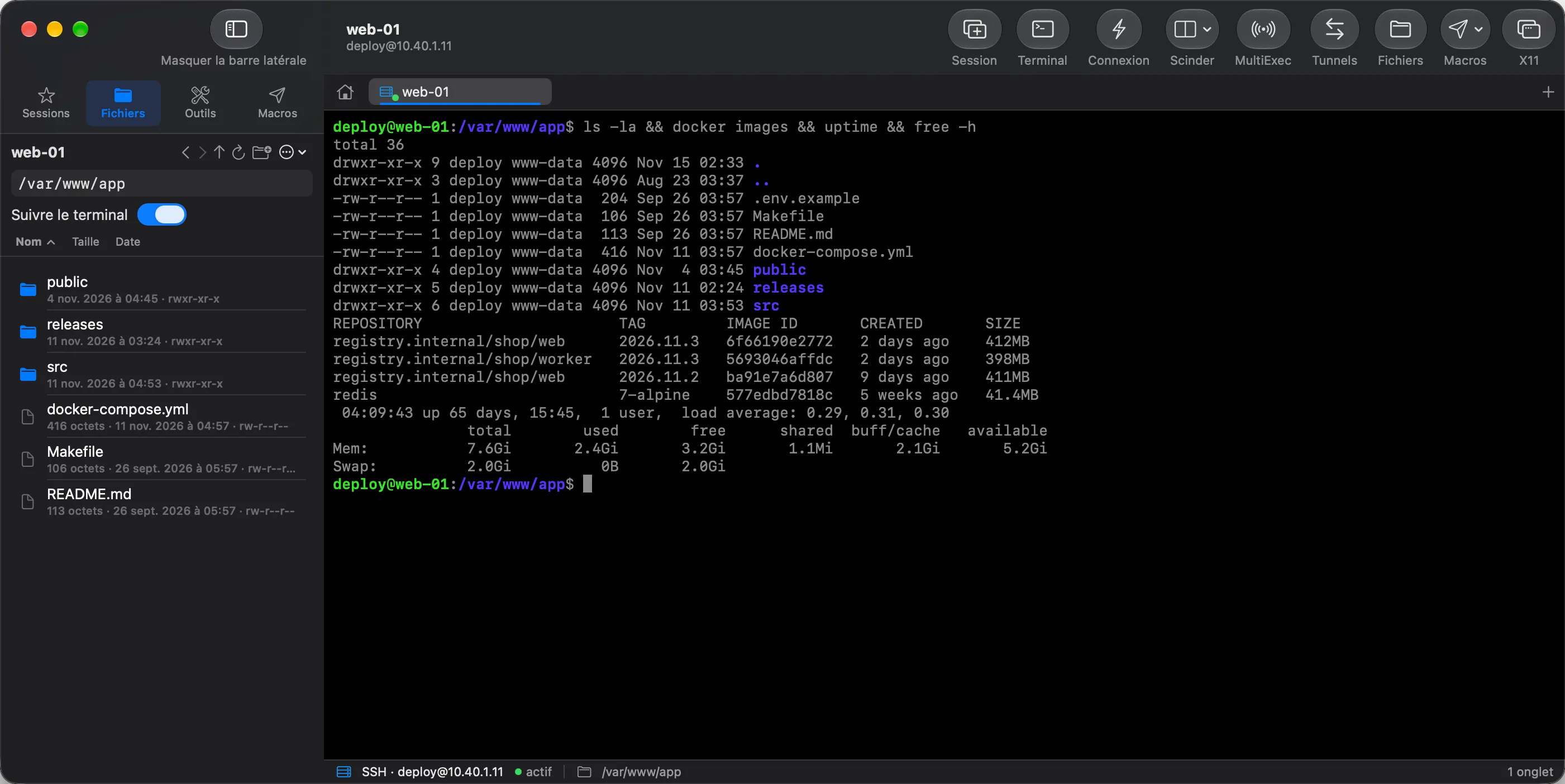
Escale window: sessions sorted by folder on the left, a terminal open on a web server, status bar at the bottom.

A sysadmin’s workbench, tidied into one window

Files

Server files, right next to the shell

The Files pane opens the server over the connection you already have: no second login. It follows the terminal’s folder, takes drag and drop from Finder, and sends a locally edited file back as soon as you save it.

  • Follows the terminal folder
  • Transfer queue, server-to-server copy
  • Shell fallback when the server has no SFTP
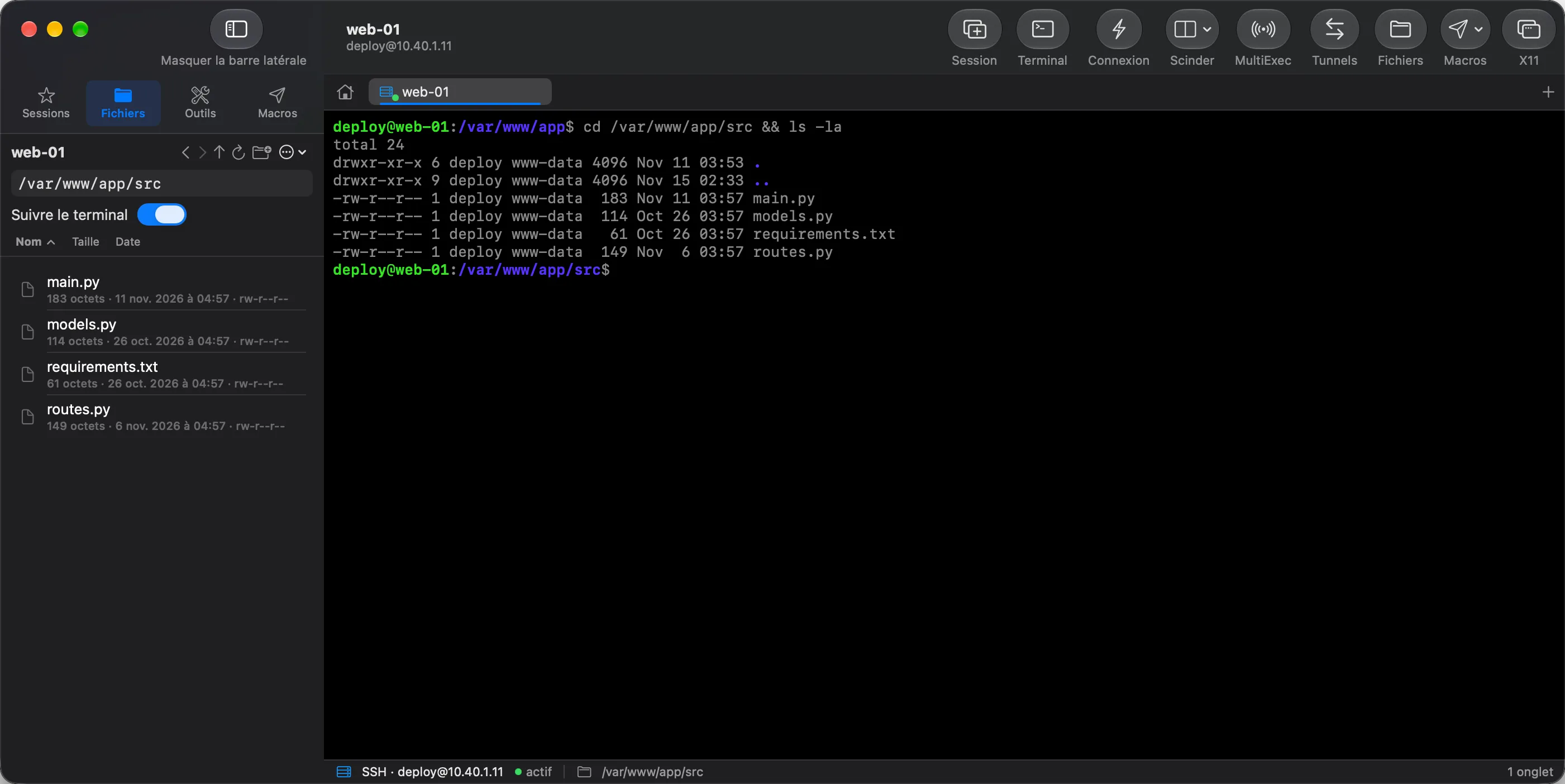
Files pane open beside a terminal: the web project’s files with size, date and permissions.

Tunnels

Tunnels that tell the truth

Local, remote and SOCKS forwards opened on the live connection. Escale probes the port before showing “active”: a tunnel the server refused never passes for open.

  • Local, remote, dynamic (SOCKS)
  • IPv6, server-assigned port
  • Edit while running, copy the URL
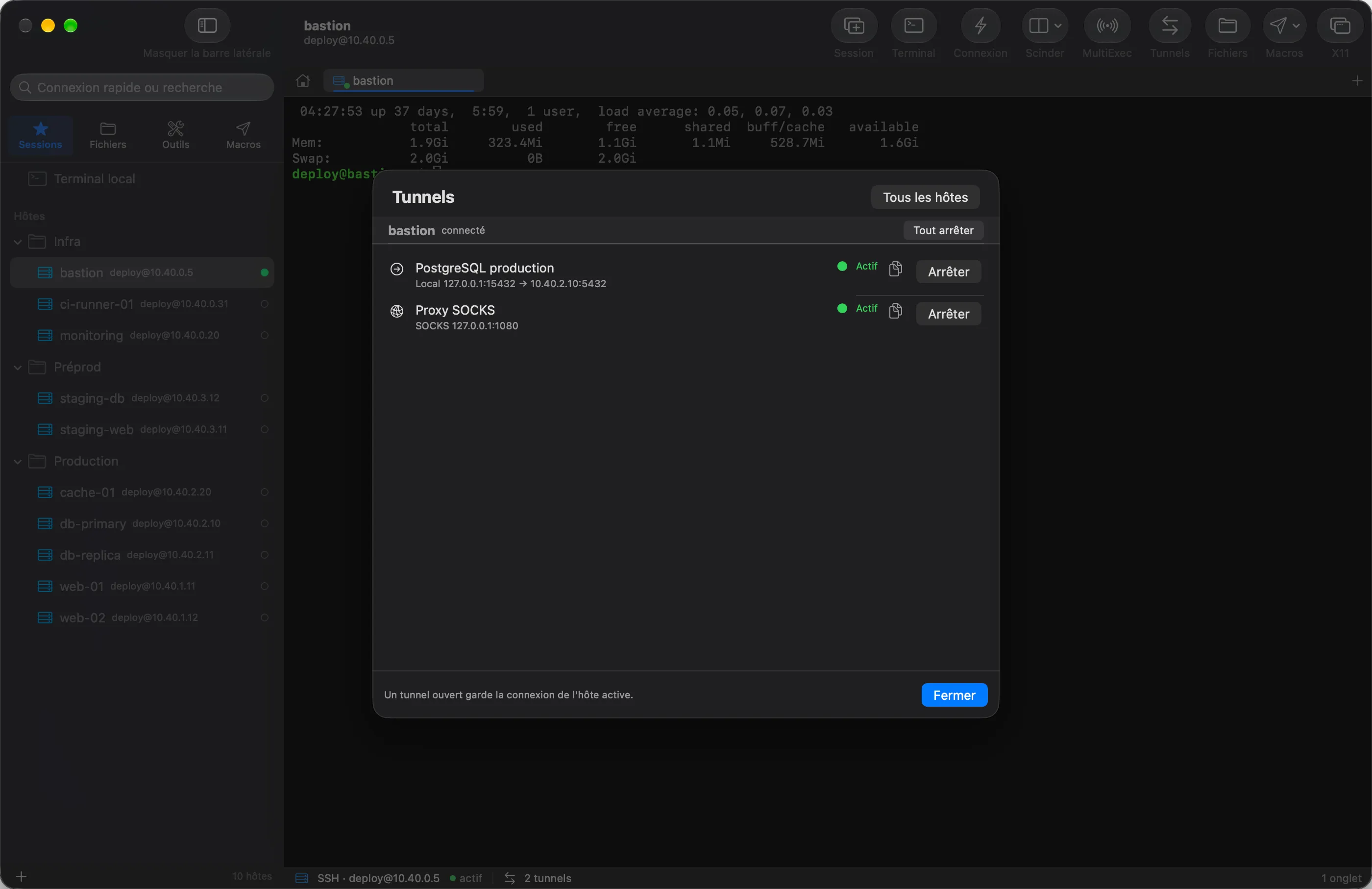
Bastion tunnel manager: a local forward to the PostgreSQL database and a SOCKS proxy, both active.

Multi-exec

Type once, reach ten servers

Broadcast your typing to every pane of a tab, every tab or a selection, under a red border you can’t miss. Or run one command on a group of hosts and read each exit code.

  • Broadcast keystrokes and paste
  • Parallel group execution
  • Output, exit code and duration per host
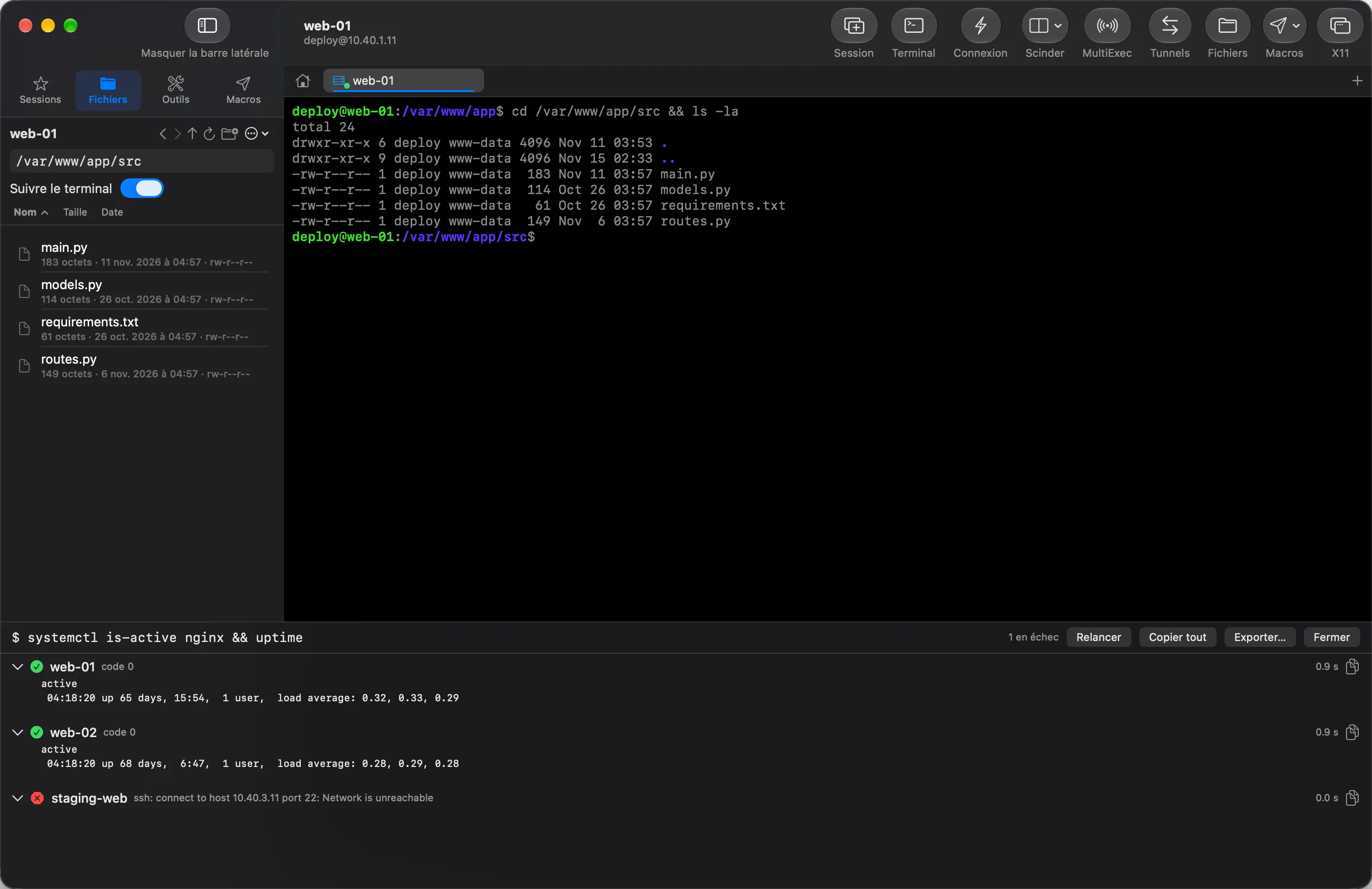
Group run on the web tag: two servers reply “active” with exit code 0, the third, unreachable, is flagged as failed.

X11

An X11 server already inside

Run a remote graphical app without installing XQuartz or typing an admin password. The server starts on demand, listens on no network port, and its windows get a macOS title bar.

  • Nothing else to install
  • Untrusted mode by default
  • Stopped when Escale quits

And everything you expect from a complete client

  • Tabs and panesSplit, detach a tab into its own window, switch to compact mode.
  • ReconnectAfter a drop, the session comes back in the same tab, screen and scrollback intact.
  • MonitoringServer CPU, memory, load, disk and throughput under the terminal. Nothing is left on the server.
  • MacrosRecord a keystroke sequence, replay it with ⌃⌥1 to 9, on one pane or all of them.
  • Quick connect⇧⌘K, user@host:port, and the host joins your library.
  • ImportBring your MobaXterm, PuTTY or Termius sessions, or your ~/.ssh/config.

Departures

One address book for all your equipment.

  • SSH22Terminal, files, tunnels, X11
  • Telnet23Terminal, optional SSH tunnel
  • Serialcu.*Speed, parity, BREAK, DTR and RTS
  • VNC5900Built-in client, over SSH if needed
  • RDP3389Opens in Windows App, SSH tunnel

Your OpenSSH, your keys, your Mac

Your system’s OpenSSH
Escale drives /usr/bin/ssh: your ~/.ssh/config, ProxyJump and SSH agents work as they are. Escale never writes to ~/.ssh.
Secrets in the Keychain
A password is saved only after a successful login, in the macOS Keychain, never in a file or a log.
Changed host key = refused
If a server’s key changes, the connection is refused. Escale never presents it as a mere confirmation.
No account, no telemetry
Apart from your own connections, Escale only contacts its update feed.

Free. No account. No subscription.

Open the disk image, drag Escale to Applications. Updates then arrive on their own.

Download Escale 1.0.0

Escale-1.0.0.dmg · 26 MB

Does Escale save you time?Buy me a coffee

System
macOS 15 Sequoia or later
Processor
Apple silicon and Intel (universal)
Signature
Developer ID, notarized by Apple
Updates
Built into the app, signed

Direct distribution: Escale is not on the Mac App Store because it uses your system’s OpenSSH.

FAQ

Is Escale really free?

Yes. No account, no subscription, no trial: download the app and use it. If you want to say thanks, a coffee is welcome, with nothing expected in return.

Why not the Mac App Store?

The Mac App Store requires the sandbox, which rules out your system’s OpenSSH and your ~/.ssh/config. Escale is Developer ID signed and notarized by Apple: Gatekeeper checks its origin on first launch.

Coming from MobaXterm — will I feel at home?

The layout is the same: button bar, Sessions and Files panes on the left, home page, status bar. Your sessions import, and the Mac conventions stay.

Where are my passwords stored?

In the macOS Keychain, and only after a successful login. The session library only holds references.